How to use Webhooks in Directus
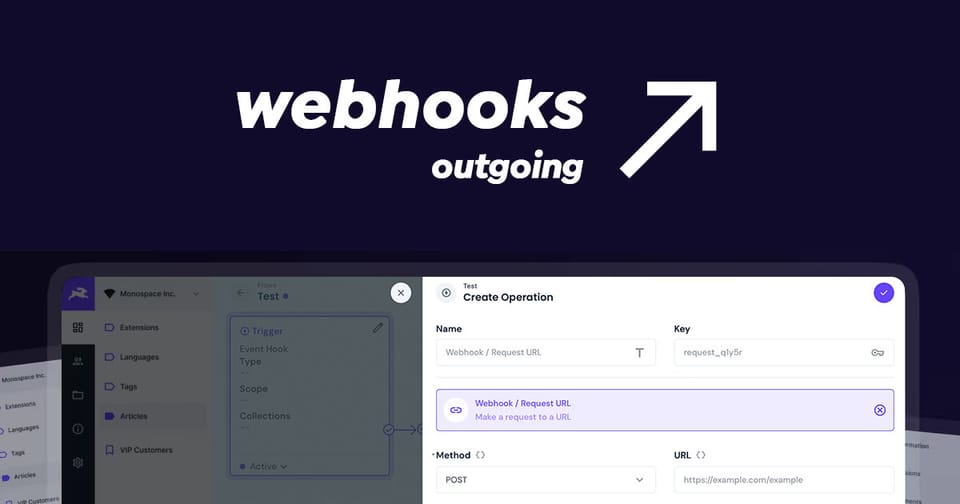
Webhooks in Directus allow you to create real-time integrations by sending data to external services whenever an event occurs in Directus. Webhooks are available in Flows, the flexible, visual automation builder.
To use a Webhook in Directus, create a new flow with the required event trigger and add the Webhook Operation as a step in the workflow. Add the details of the endpoint and include the payload. Lastly, test the trigger and see the data incoming on the other end.
Here is a step by step guide on creating a Flow that uses a Webhook. You will need to be an administrator or have permissions to create and edit Flows.
Step 1: Create a New Flow
- Navigate to Settings > Flows using the cog on the Directus sidebar.
- Click the + (plus) icon to create a new flow.
- Give your flow a name (e.g., "Stripe Webhook: New Customer").
- Click the tick to proceed to the trigger settings.
Step 2: Configure the Trigger
The trigger defines when the webhook should fire.
- On the trigger settings, select Event Hook.
- Type: Choose Action (Non-blocking) if you want the automation to run in the background without slowing down the initial API request.
- Scope: Select items.create (to trigger when a new record is added).
- Collections: Choose the collection you want to monitor (e.g.,
Customers). - Click the tick to save changes and proceed to the flow editor.
Step 3: Add a Webhook Operation
Now, tell Directus where to send the data.
- Click the + next to your trigger to add a new operation.
- Select Webhook / Request URL.
- Method: Choose
POST. - URL: Enter the destination URL (this would be your external service such as the Stripe customer created endpoint:
https://api.stripe.com/v1/customers. - Payload: If you already match the schema, you can simply send
{{$trigger.payload}}to send all data or construct the payload according to the external service documentation.
{
    "email": "{{$trigger.payload.email}}",
    "name": "{{$trigger.payload.first_name}} {{$trigger.payload.surname}}"
}
Step 4: Testing Your Webhook
To verify your webhook is working, trigger your flow in Directus and check the log on the Flow. Here you can see details for each step in your workflow and troubleshoot and issues along the way. In my example above, Stripe returns the customer object from Stripe where I can write the Stripe ID back to the customer record and use it within my application.
Conclusion
Webhooks are amazing! They make integrations with external systems possible and in turn, makes Directus the perfect platform for any application.